

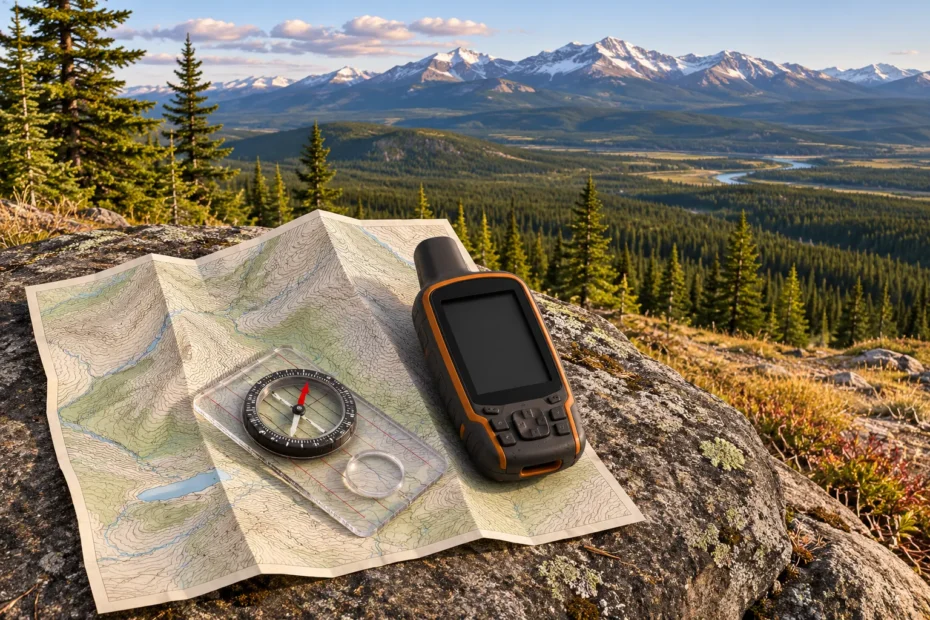
AI cover illustration of a map, compass and GPS at a foothills lookout.
Using maps and GPS for scouting starts with a route you can verify on the ground. Mark the trailhead, the junction you expect to see and the place you want to watch from. Then choose a turnaround point you can recognize without a screen. A pin can bring you close to a wetland or a ridge. The route and the features around you tell you where you can actually go.
Use a topographic map to see the shape of the land, a current land-manager map to check access and an offline GPS setup to compare your position with both. This guide shows how to put those pieces together for wildlife scouting in Canada.
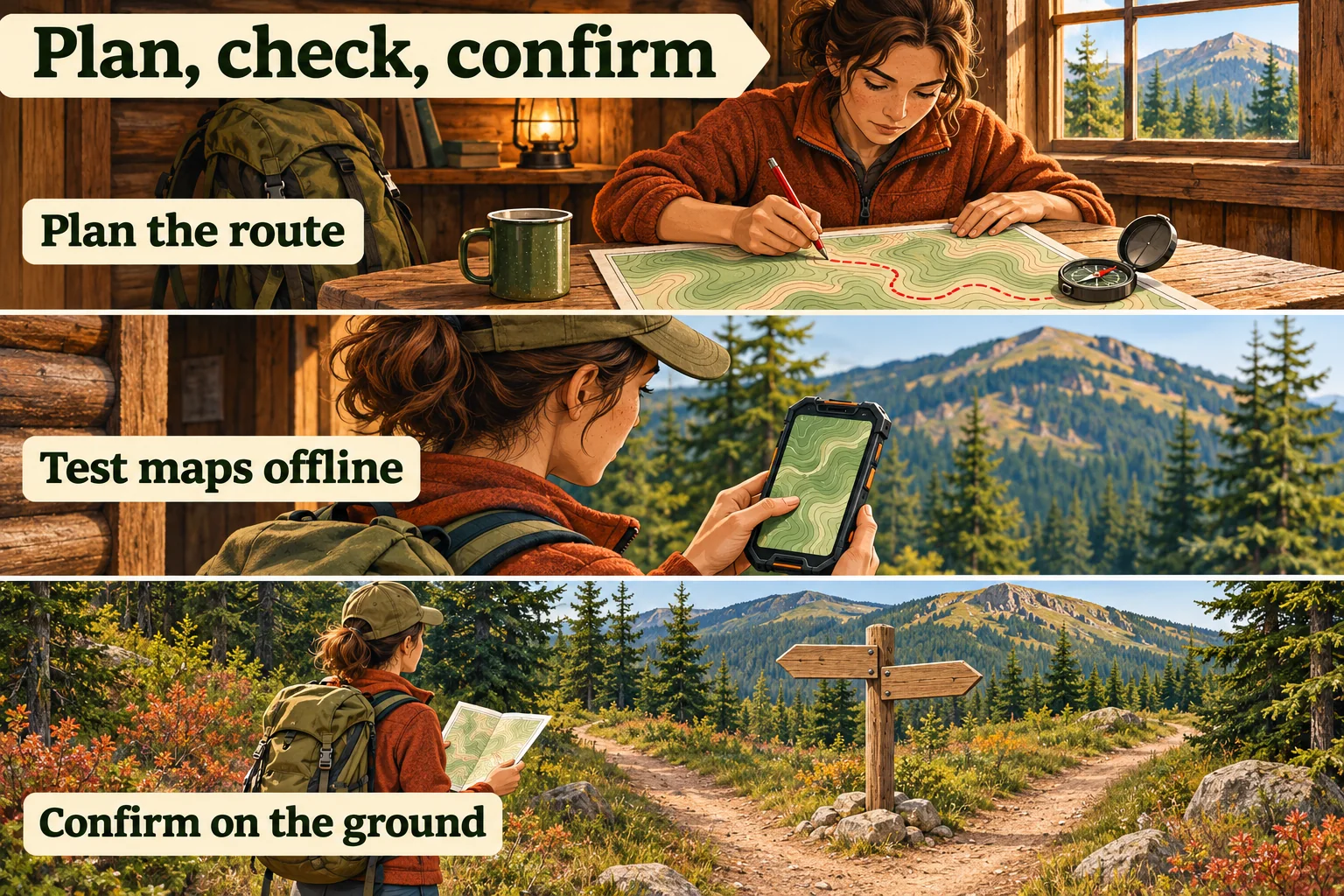
Read the terrain before you trace a route
Start with the map legend, scale, contour interval and publication date. A topographic sheet can show how a stream cuts through a hillside, where the land levels out and which slopes rise sharply. A park trail map may be more useful for trail names, signed junctions and visitor facilities. Keep both views if you need them. Use the land manager’s current information to check access and trail status. The most detailed terrain layer may still show a bridge that has washed out. Natural Resources Canada’s topographic map overview
At 1:50,000, one centimetre on the original-scale sheet represents 500 metres horizontally on the ground. On a 1:250,000 sheet, the same centimetre represents 2.5 kilometres. The broader sheet is useful for getting your bearings across a region. Use a more detailed map to examine a short approach, such as the turn between a parking area and a creek. On a resized print or a screen, measure against the displayed scale bar rather than applying the original paper ratio. Follow the bends of the actual route with a map measurement tool or short ruler segments. The straight-line distance to the lookout leaves those bends out.
Each contour connects points of equal elevation. The contour interval is the vertical difference between adjacent contours, so check it before counting lines. On the same sheet, close contours mark a steeper slope than widely spaced ones. In a stream valley, the contour bends generally point upstream. Check the elevation labels and water line together to distinguish a draw from a spur. Trace the low ground between hills as well as the high points. A saddle may give you a better understanding of how two valleys connect than the summit does. Natural Resources Canada’s scale and contour tips · Florida Museum’s illustrated contour guide
Two approaches to the same fictional lookout
On a 1:50,000 exercise map with 20-metre contours, both approaches climb from 440 to 500 metres. Calculate average grade by dividing the rise by the horizontal run and multiplying by 100.
Short line · 15% average grade
8 mm on the original print represents 400 m horizontally. A rise of 60 m over 400 m gives 15%.
Longer trail · 5% average grade
24 mm on the original print represents 1.2 km horizontally. The same rise over 1,200 m gives 5%.
The map measures horizontal distance. Your feet cover the sloping ground.
The longer line is the one to investigate first if you want a gentler approach. Zoom in on the tightest contour spacing to see where that average hides a short steep section. Check how many times the line drops and climbs. A climb, dip and second climb can add elevation gain even when two routes finish at the same height. If the shorter line crosses a drainage without a marked bridge, check the official route information instead of treating the line as a usable shortcut.
Use the same north reference on the map and compass
A bearing is an angle measured clockwise from a specified north. A note that just says “072°” leaves a question for the next person using it. Write 072° true, 072° grid or 072° magnetic as appropriate. True north follows the meridian toward the geographic pole. Grid north follows the map’s northing lines. Magnetic north is the reference a magnetic compass uses. Read the map’s margin diagram to see how the three directions relate there. On a projected map, the angle between grid north and true north depends on where you are on the sheet. Natural Resources Canada’s compass bearing guide
Magnetic declination is the angle from true north to magnetic north. It changes with place and time. The value printed on an older sheet refers to the date shown in its margin. Before leaving, record a current estimate for your trip location and date. Geomagnetism Canada explains declination and its changes, and the NOAA declination calculator accepts a location and date. Move away from the vehicle, phone mount or metal railing if the needle reacts when you change position. Those local effects can change a reading even after you correct for declination. Suunto’s compass adjustment and interference guidance
- Read the bearing and label its reference. Suppose the exercise map gives 074° grid and grid north is 2° west of true north at that point. The corresponding bearing is 072° true. Use the actual margin relationship when your line is measured from the grid.
- Convert once for a standard magnetic reading. With a hypothetical 11° east declination, 072° true becomes 061° magnetic. In a separate hypothetical place with 7° west declination, 072° true becomes 079° magnetic. Subtract an east value or add a west value when going from true to magnetic. Reverse the operation when plotting an unadjusted magnetic reading on a true-north map.
- Match the method to the compass. If the instrument already applies an adjustment to express true bearings, follow its manual and skip the second manual conversion. Mark whether you have aligned the map to true or grid north. A compass with mechanical declination adjustment still needs the relevant grid correction if you measure a line from grid north.
Practise beside a familiar maintained trail. Orient the paper map using the corrected north reference, then compare what you see with two features on the map, such as a stream bend and a fork. A bearing helps tell two plausible trail branches apart. It gives no information about conditions farther along the line. When the map and the terrain disagree, check the last feature you can identify and resolve the difference before committing to the next leg.
Save the coordinate format and the datum
The format describes how you write the numbers. Latitude and longitude can appear as decimal degrees, degrees and decimal minutes, or degrees, minutes and seconds. For a single invented angle, 110°15′00″ W is the same as 110.25° W, or −110.25 in a signed decimal-longitude field. The 15 minutes are a quarter of a degree. Entering −110.15 would put the point somewhere else. A minus sign means west in a signed longitude field. In a separate hemisphere field, choose W and enter the positive magnitude the form asks for. Check which order the destination accepts and label the axes when you share them. Google Maps’ coordinate format examples
UTM uses a zone and coordinates in metres. Copy the zone, hemisphere, easting and northing, plus the reference system. Two bare metre values lose the zone they belong to. Some displays show a latitude-band letter after the zone number. Check what that letter means in the device’s format before copying it into a hemisphere field. When you pass a position to another person, send the name of the nearby feature and the full coordinate notation, then ask them to read it back or plot it. Garmin’s handheld UTM format guide
The datum or reference frame is the underlying system for locating the point. Changing decimal degrees to degrees and minutes changes the notation only. Transforming between WGS84 and NAD83(CSRS) changes the underlying reference and may involve a frame version and epoch. Natural Resources Canada also notes that older datasets can be in NAD83(Original). Use the map metadata and receiver settings rather than assuming that every layer labelled “NAD83” matches. If a mismatch matters for the task, use the appropriate transformation tool and check the plotted result. More digits on the screen do not give a more accurate fix. Natural Resources Canada’s reference systems overview · Official geodetic tools
A fix saved from a boardwalk locates the observer. If you mark the far-bank reed bed by eye, label that point as estimated and record where you viewed it from.
Test the position, the map and the route separately
A receiver can calculate a position from satellite signals without a mobile data connection. Cellular or Wi-Fi assistance can help some devices find an initial location, and an app may use data for imagery, search or routing. A visible blue dot over a blank screen can mean the receiver found a position while the basemap is missing. The reverse can happen too. A downloaded map may look fine while the location shown is an old fix. GPS.gov identifies blocked and reflected signals as sources of error. Dense trees and steep terrain can make a fix less reliable, so pay attention to the age of the fix and any accuracy estimate the device provides. Garmin’s GPS and cellular-data explanation · GPS.gov on positioning accuracy
- Check your downloaded area. Include the approach road, the full route and enough surrounding area for your confirmed alternate. Close and reopen the app with mobile data and Wi-Fi turned off. Pan to both ends, zoom into the junctions and check that the needed contour or imagery layer still appears.
- Check the live location and saved route. Leave location services on and test outdoors where you know your position. Watch for an updated fix, reopen the saved track or route and check whether it follows the planned trail. Try viewing an imported waypoint and verify that it sits beside the feature you expected.
- Check which features need a connection. Try the app’s offline search or routing if you intend to use it. Support depends on the app, map and area downloaded. A saved track can still display without offline turn-by-turn routing. Keep the paper map and the written trip plan accessible if the device runs out of power or the app stops working.
Keep the device check simple enough to repeat before each trip. If the map failed while the position worked, adjust the download and test again. If the map worked but the fix drifted, compare it against a known feature in a clearer spot. Check both again after switching apps, changing devices or updating layers. Parks Canada recommends a map, compass and GPS for backcountry hikes, with practice on the equipment before you rely on it. Parks Canada’s hiking preparation guide
Verify access from the road to the lookout
Trace the whole outing before saving a route. Start at the road you can use to reach the area. Then check the parking spot, the walking approach, the observation point and the return. A viewpoint may sit on public land while the shortest path to it crosses a farm or a closed road. The map only shows where those features meet. Check who manages each part and whether your planned activity is allowed.
Read the land layer and the rules together
Ontario’s Crown Land Use Policy Atlas shows boundaries and links to area-specific policy reports. Open the report for the area you intend to enter and look for rules on your mode of travel. The province says its private-land layer gives a general picture and is unsuitable for identifying an exact property line. If a mapped boundary runs beside your route, use the atlas to frame a question for the local ministry office or land manager. A thin strip between two coloured polygons is a poor basis for choosing an entrance. Ontario’s Crown Land Use Policy Atlas and map limitations
Road and land access need separate checks. Ontario notes that access to Crown land can be restricted for resource protection and public safety. In some areas, non-motorized access is allowed where motorized access is limited. If a sign closes a road, respect the closure and check with the responsible office before planning any other access. A track line can show where someone drove years ago without revealing the conditions attached to that trip. Ontario’s recreational access guidance
For a private segment, ask the occupier for permission for your route and activity. Confirm the entrance, parking and any conditions before leaving. Ontario’s Trespass to Property Act lists circumstances where entry can be prohibited without notice, including cultivated or enclosed land as defined in the Act. Treat a map with no parcel label and a gate with no sign as unresolved. Check the relevant province, territory and land manager when planning elsewhere. Ontario’s Trespass to Property Act, sections 2–5
For a protected area, check the site’s visitor map, authorized activities, operating hours and current advisories together. Cap Tourmente National Wildlife Area in Québec, for example, lists non-commercial wildlife viewing on designated routes and at designated lookouts, with access governed by opening periods and hours. A path visible in an aerial image can be used for maintenance or cut through habitat that is closed to visitors. Use the named public route and stay within its access conditions. Environment and Climate Change Canada’s Cap Tourmente visitor information
Write the permitted activity beside the route in your notes. An open walking trail answers a question about where you can walk on that visit. If the trip is for hunting or involves leaving a camera, check that activity separately with the relevant authority. Where two maps disagree, send the manager the trail name, the entrance you plan to use and the segment in question. This gives them something specific to confirm.
Put closures and wildlife space on your route
- Check both planned seasonal restrictions and current bulletins. Banff National Park, for example, publishes recurring restrictions separately from its latest orders. Read which activity is affected, which segment it covers and when it applies. Banff’s seasonal closures and restrictions and current bulletins
- Save an authorized fallback with its own entrance. Two trails behind the same closed gate give you one practical option. Choose a second route that still fits your daylight, ability and equipment.
- Put wildlife observation pins on the place you will stand. If an animal moves onto the route, give it space and stop the outing or use an authorized alternative. Keep the device down while moving past wildlife habitat so you can see what is ahead. Read the site’s guidance for the species and situation. Parks Canada’s wildlife viewing and trail guidance
Leave a plan that still works when your phone goes quiet
Give a trusted person a written itinerary they can read without your app. Include who is going, the vehicle and parking point, the named route, any checked alternate and the expected return time with its time zone. Add the check-in method and agree on an overdue time. Explain that the contact should notify the appropriate authorities if you miss that time as agreed. Give them any details responders may need about your equipment and ability. AdventureSmart’s trip planning and navigation guidance
Agree where you expect to have service. If coverage normally ends near the trailhead, your contact can expect silence while you walk and a message after you reach the agreed service point. Choose a check-in time that accounts for that drive. Send the plan before losing coverage and check that your contact received it. A saved message on your phone may still be waiting to send.
Make the route description useful without a picture. A contact who has never been there should be able to read out the name of the access road and trailhead, the order of the main junctions and where you expect to turn back. If a parking lot has two entrances, say which one you will use. A person receiving a late check-in can then distinguish a missed message at the end of the walk from an unexplained change of route.
Keep a paper map, a compass you know how to use and a copy of the route details with the group. If the screen goes dark while you still know where you are, stop at a suitable place and decide whether the confirmed route back is still passable. A clear return to a known trailhead is a different situation from being disoriented. If you cannot establish your position, stop moving where it is safe to do so, take stock and use your emergency communication or signalling plan as appropriate. Avoid improvising a descent or splitting the group to search for a signal. AdventureSmart’s guidance on what to do when lost
Choose communication equipment for the trip and practise using it before you leave. Learn whether it needs another device, what the local conditions can do to reception and how you would ask for help. If you can reach responders, provide your last confirmed position, who is with you, whether anyone is injured and what you can see around you. Tell them the coordinate format if you are reading numbers from a screen. Follow their directions. AdventureSmart’s communication and signalling guide
Three route decisions to practise before a scouting trip
These fictional cases use real places and rules. They illustrate how to choose a route. For a visit, check current notices and conditions for your own dates.
Case 1 · Cap Tourmente, Québec. A pin sits on the wrong side of the reeds
You save a pin from an old sighting report and download a base map. It shows a narrow line from the access road toward the marsh, then stops close to the pin. The official visitor map marks an observation deck reached by a designated trail. Pick that trail and move your waypoint to the deck. Keep the old pin as a rough clue about habitat. You might see the same part of the marsh from a different angle. Cap Tourmente’s official trail map
You also planned to arrive before sunrise. Read the schedule for your date and adjust the visit to the posted hours. Give yourself time to leave before closing. If the deck is full, take a turn from the designated route or head to a second open lookout. After the walk, save the viewpoint you used and note what was hidden by vegetation. The next visit can start from a route you actually walked.
Case 2 · Banff, Alberta. The downloaded trail still runs through a work closure
Imagine loading a Johnston Canyon route downloaded before the park’s October 13, 2026 bulletin for construction work. The route begins at the canyon day-use area and still draws a continuous line past the falls. The bulletin closed the canyon trail and day-use area, including the P1 lot. That takes away the planned start. A straight connection from another parking area on the map could bring you back into the same closure. Parks Canada’s dated Johnston Canyon closure order
Parks Canada’s hiking page listed Moose Meadows access to the Upper Falls and Ink Pots during this work. Check the latest information for both the approach and destination before choosing that option. A different start changes the distance and conditions for the day. Compare those demands with the group’s ability and the available daylight. If a shorter verified option suits the group, send the revised trailhead and check-in time to your contact before setting out. Banff’s official hiking information
Case 3 · Northern Ontario. A forestry spur ends at a gate
You plan to scout a marsh from a forest road, and a shared track continues along a spur past a junction. You have no data service at the junction, but the downloaded layer shows your position and both roads. A posted closure at the spur settles the access question. Turn around by the confirmed open approach while you know where you are. Keep the group together and leave the unverified road across the marsh for another day.
Your itinerary includes a second route from a known public entrance. You can use it if you can confirm the access and still meet the plan you left. If the new route or timing would fall outside that plan, return to an agreed service point and send the change first. At home, rename the old track so it cannot be mistaken for a verified route and record where the closure began. On the next trip, you can ask the local office about that exact spur before downloading it again.
Turn the line on your map into a route card
A route card gives you a few things to confirm while walking. Use landmarks that you can see from the established trail. A bridge or signed junction is usually easier to check than the exact spot where a pin sits on your screen. For a wildlife watch, mark the place where you will stand as well as the habitat you hope to see.
- Name the start in words. Write the official trailhead and the road that reaches it. Add a screenshot of the entrance map if useful. A second car park on the same road may lead to a different branch even when the parking icons are close together.
- Add a confirmation point before each decision. For example, “footbridge, then junction with left branch climbing.” If you reach a junction before seeing the bridge, compare the sign, the slope and the last place you recognized. A waypoint should prompt a check while you still know how to return.
- Separate the lookout from the target habitat. The marsh is the subject. The deck or broad section of trail is the destination. Put the navigation pin on the permitted viewing point. Make an observation note for the marsh so a straight line on the map does not tempt you to walk across it.
- Write a specific turnaround. Choose a landmark or time that leaves enough margin for the verified route back. If the only legal deck is closed, follow the fallback in the card instead of building a new route on the spot.
| Label on the map | What confirms it | Decision if it differs |
|---|---|---|
| START | The official entrance map matches the trailhead name and first junction. | Check the land manager’s map before taking a route out of the lot. |
| CHECK | A footbridge and signed fork appear in that order. | Stay on the known trail while checking the last confirmed feature. |
| WATCH | The designated deck overlooks a marsh without entering the reeds. | Use the permitted fallback if the deck is closed or full. |
| TURN | The planned return time arrives or the open route ends. | Use the verified return and update the person holding the plan as arranged. |
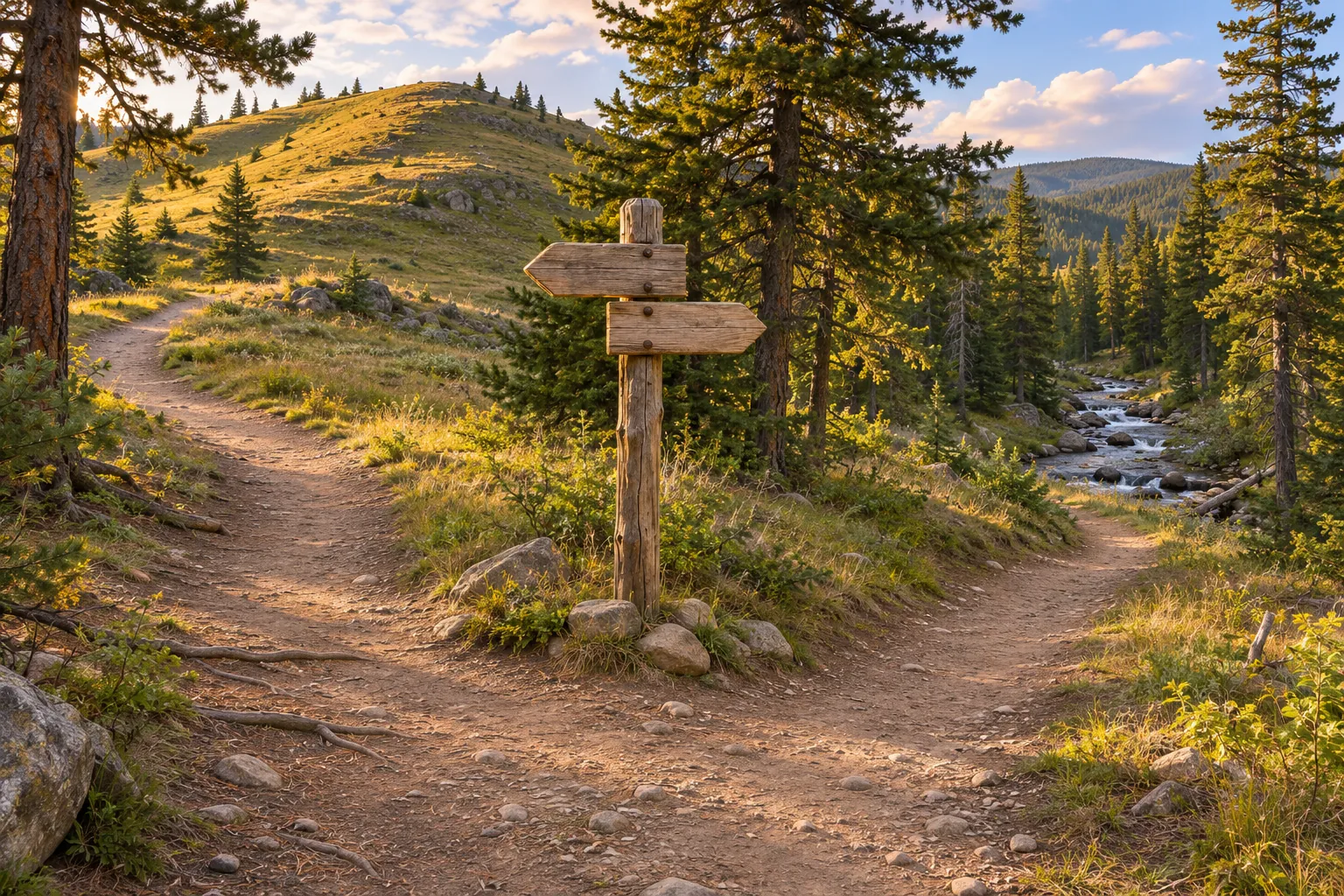
Guide’s log · A fictional junction check
I mark a viewpoint above a creek rather than putting the pin in the wetland itself. On the printed map I circle the junction and write “ridge on left, creek down on right.” My offline screen has the same trail, though the cursor could sit on either branch at the fork. I also write down the name of the trail I followed from the car.
At the junction, the creek appears through the trees on the right. The other branch skirts the base of a ridge. I check the signed trail name before deciding which line leads to the designated viewpoint. The visible features help match the map to the place, but neither branch becomes an open route just because I can see it. If the sign showed a closure, that would end the decision.
From the lookout I note the waterline, glare and the time I start watching. I keep that observation separate from the route card so I can share a general description without publishing a pin for a sensitive site. On the return, the bridge confirms I am back on the approach I planned. The saved track is useful later if I need to remember where I paused.
Use the water-source scouting guide to pick an appropriate watch point and the track behaviour guide to log signs you find along the route.
What if the map and the ground disagree?
Open the problem you see. Start by identifying which piece of information you can still verify.
An app shows a path through a signed closure
Follow the closure. Check the land manager’s current notice and use your independently verified fallback. A downloaded path can stay visible after an area is closed.
The blue dot moves but the background is blank
The device may have a position without a saved map for that area or zoom. Stop at the known point. Try the offline layer you tested or switch to your printed map and compass. Avoid committing to an unfamiliar branch until you can confirm it.
The marker jumps between branches under trees
Stay on the known route, check a sign or terrain feature and wait for a steadier reading. Verify the branch against your route card. A marker inside an uncertainty area shared by both paths cannot distinguish them by itself.
The stored track crosses a washed-out bridge
Turn back on the open, known route while you can do so safely. A recorded crossing reflects an earlier visit. Use the planned alternate if it remains open. Avoid using a straight line to the next waypoint as a detour.
The phone is running low and the return is still ahead
Use the return margin you planned. Switch to the backup you already tested and end the scouting portion while the known route remains available. If you cannot establish a safe route, follow the trip’s emergency plan instead of improvising a shortcut.
Five checks before leaving coverage
Tick the items you have confirmed. The checklist does not send your answers.
If another person will navigate, ask them to point to the start and fallback before you leave. The tracking and scouting hub has related guides for the fieldwork you plan once you arrive.
Field gear for two ways to navigate
As an Amazon Associate we earn from qualifying purchases. Check delivery and total cost for your address on Amazon.com.
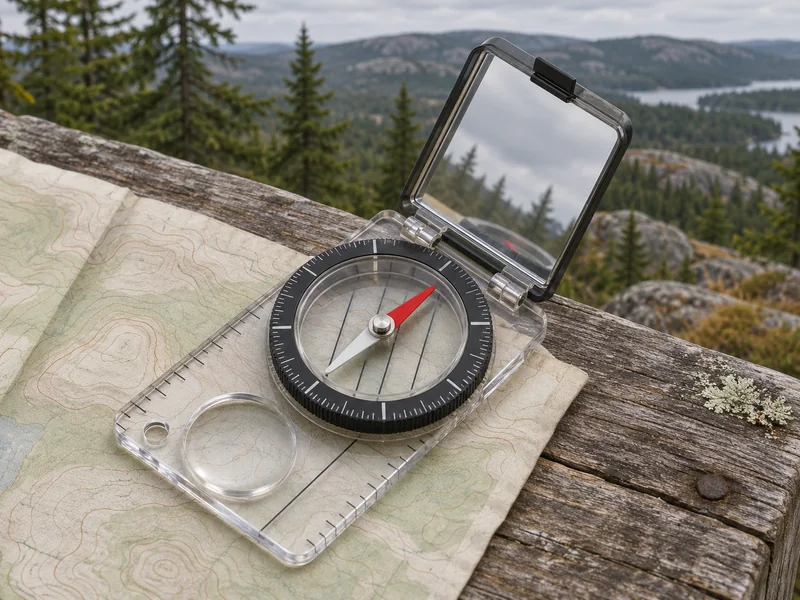
For checking a direction on a paper map
Suunto MC-2 NH USGS Mirror Compass
Use the Northern Hemisphere version as a battery-free way to check a bearing when the phone is out of reach or out of power.
- The clear baseplate lets you see the map under the compass. This version includes a 1:50,000 UTM grid scale. Check the scale on the sheet before using it.
- Adjustable declination lets you set the correction for your trip area. Get the local value before departure and check which north reference your map uses.
- The hinged mirror lets you see the dial while sighting a landmark. Practise aligning the compass and reading the needle on a familiar route.
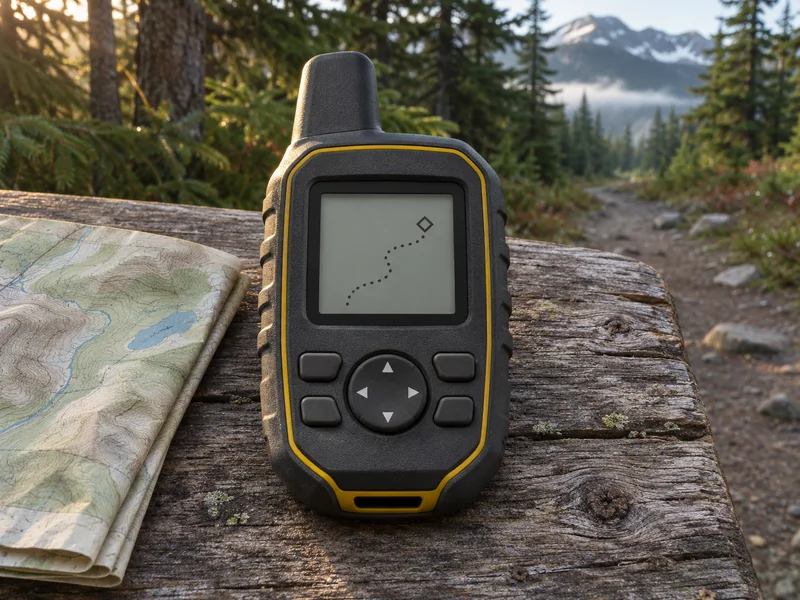
For saving checkpoints and recording a walked track
Garmin eTrex SE Handheld GPS Navigator
Use this handheld to mark a trailhead or junction and record the route you actually walked.
- The eTrex SE can store waypoints and display a recorded path. Carry a separate map for contours, trail context and barriers because the handheld lacks detailed topographic maps.
- TracBack follows the recorded path. The menu also offers a straight-line option, so check which one you selected and compare it with the permitted route.
- The unit takes two replaceable AA batteries. Bring a spare pair and test your waypoint and track menus on a familiar route.
Read winter terrain with a local guide
Affiliate disclosure: We may earn a commission if you book through this Viator link. Check seasonal dates, conditions and the exact meeting point before booking.
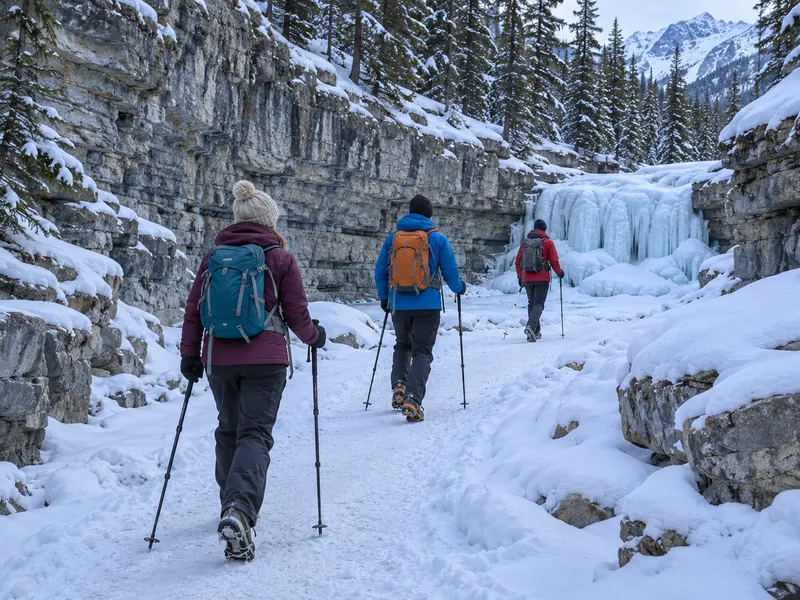
Grotto Canyon near Canmore, Alberta
Grotto Canyon Icewalk
Choose this outing to observe how a local guide handles changing footing on a specific winter route. The tour focuses on the canyon and its geology.
- Walk through the canyon with a guide who explains its geology. Compare the narrow creek bed with the slopes and rock walls around it.
- The operator lists a 4.2 km winter walk with about 100 m of elevation gain. Check departure conditions and required footwear before booking.
- Viator lists ice cleats and a hiking pole. Confirm your pickup location and the requirements for your group.
Maps and GPS questions for scouting
Can a phone show my GPS position without mobile data?
Many phones can determine position from satellites without a cellular connection. The app still needs a map it can display offline, and search, sync and routing may have separate requirements. Test your actual phone and app with network access off before departure.
Does a trail line in a GPS app mean I can use it?
Check the land manager, property access and current notices for the actual route. A trail can stay in an app after it closes, and a recorded track may cross private land. Use a verified open alternative when the status is uncertain.
What do I share with a waypoint?
Give the waypoint a descriptive name and include its coordinate notation, datum and purpose. For UTM, include the zone and hemisphere. If it marks an animal observation, consider whether a less precise location is appropriate for public sharing.
Can I follow a straight bearing around an obstacle?
Use the verified open route or your fallback. A bearing gives direction. It does not show cliffs, deep water, a private parcel or whether a crossing is safe. If you cannot establish a safe continuation, end the scouting route.
How much map do I need to download?
Include the trailhead approach, the whole route and return, and the verified fallback at a useful detail level. Reopen each area with network access off. Carry a separate map or device that covers the same area and that you know how to use.